All-in-one Android app for scanning, editing and signing PDFs
Scans paper, edits text and applies signatures on a single mobile workflow: PDFEdit: Reader Viewer Pro bundles a scanner, converter and annotation tools into one Android app. Developed by ZamanIT, it targets students, office professionals, and mobile users who need to move paperwork into editable documents. Key capabilities include mobile scanning, multi-format conversion to PDF, in-app annotation and password protection, making it useful for on-the-go document tasks and quick approvals.
What can PDFEdit handle within a mobile document workflow?
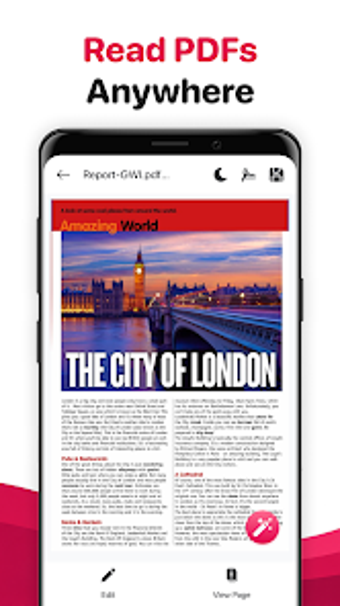
PDFEdit combines reading, scanning, conversion, and basic editing into a single app, matching the described all-in-one workflow. The app opens and navigates PDFs with search and bookmarks, captures paper documents with its built-in scanner, and converts Word, Excel, PowerPoint, and images into PDFs. That sequence supports a common mobile workflow: capture a paper page, convert or edit it, then save as a PDF for sharing or archiving.
How does it shape document creation and final output?
The app offers editing tools such as highlighting, underlining, and adding text, plus merging and splitting for file organisation, so users can prepare client-ready documents on a device. It also provides PDF compression and password protection for file optimisation and security. The presence of a digital signature and form-filling tools lets a user complete and sign contracts or forms entirely on the phone.
Is setup, learning, and compatibility appropriate for workplace use?
Available on Android and described as lightweight for mobile handling, the app suits professionals working away from a desktop. Conversion support for major office formats means files move between desktop and mobile without format loss. Because it bundles scanning, editing, conversion, and signing, the app reduces the need for multiple separate utilities during a field or campus workflow.
Who should adopt PDFEdit and what trade-offs to expect
PDFEdit fits mobile professionals and students who need a single Android tool to capture, edit, and finalise documents while away from a PC. Expect a compact mobile workflow rather than deep, desktop-grade PDF editing; power users needing complex page-level edits may prefer a dedicated desktop editor. For on-the-go document handling, PDFEdit is a practical mobile choice that keeps the entire capture-to-sign cycle on the device.